Join walk-up meetings or meetings that do not include the room
If you scheduled a walk-up meeting or the meeting does not include the room, you can join through your laptop.
Tip
The room camera turns on automatically when you join a meeting. Make sure all attendees in the room are ready before joining.
To join walk-up meetings or meetings that do not include the room:
In the Microsoft Teams calendar on your laptop, click Join for the meeting.
Select Room audio.
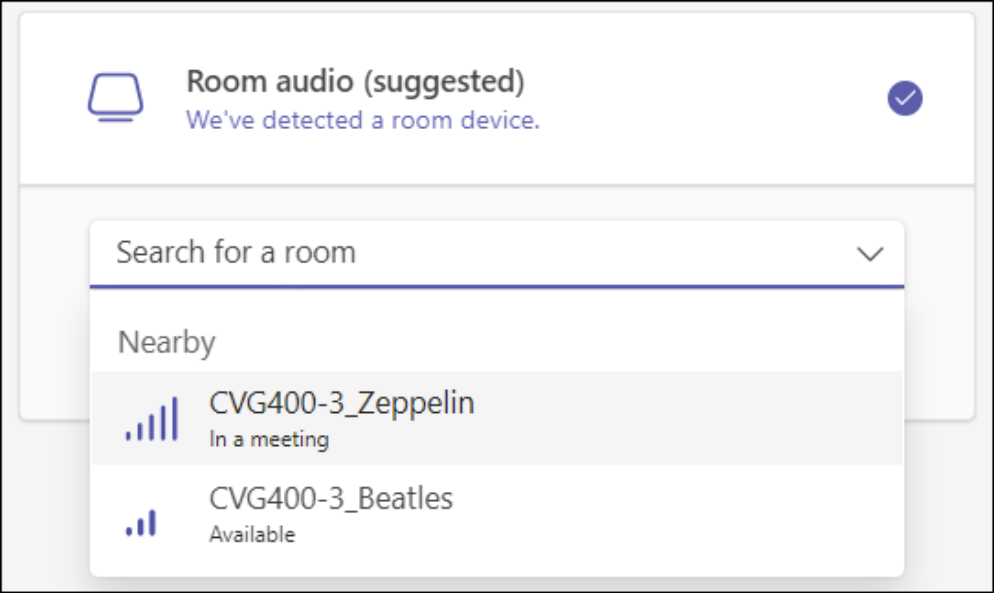
Click the Search for a room drop-down menu, then click the room for your meeting (see image above).
Tip
If the room does not appear in the list, check that Bluetooth is enabled on your laptop. You must also be present in the room to add it to a Teams meeting.
Click Join now.
On the room console, tap Accept to answer the call from Teams.
To share content on your laptop, click the Share content button (
 ) in Teams.
To stop sharing content, click the Stop sharing button (
 ) in Teams.